How MGAs move Excel raters into a native rating model
Published on: October 21, 2026
RRick He
Why Excel raters stall at scale
For MGAs that quote in Excel, the workbook holds years of underwriting decisions in a format your team knows well. But when quoting means opening a workbook, re-entering the same information, and copying premiums into another system, every handoff takes time and adds another chance for error.
Moving that rating logic into your policy workflow can remove those handoffs. The challenge is preserving the formulas, lookups, minimum premiums, and rounding rules your team relies on. A matching total premium alone doesn’t prove the new rater gets them right.
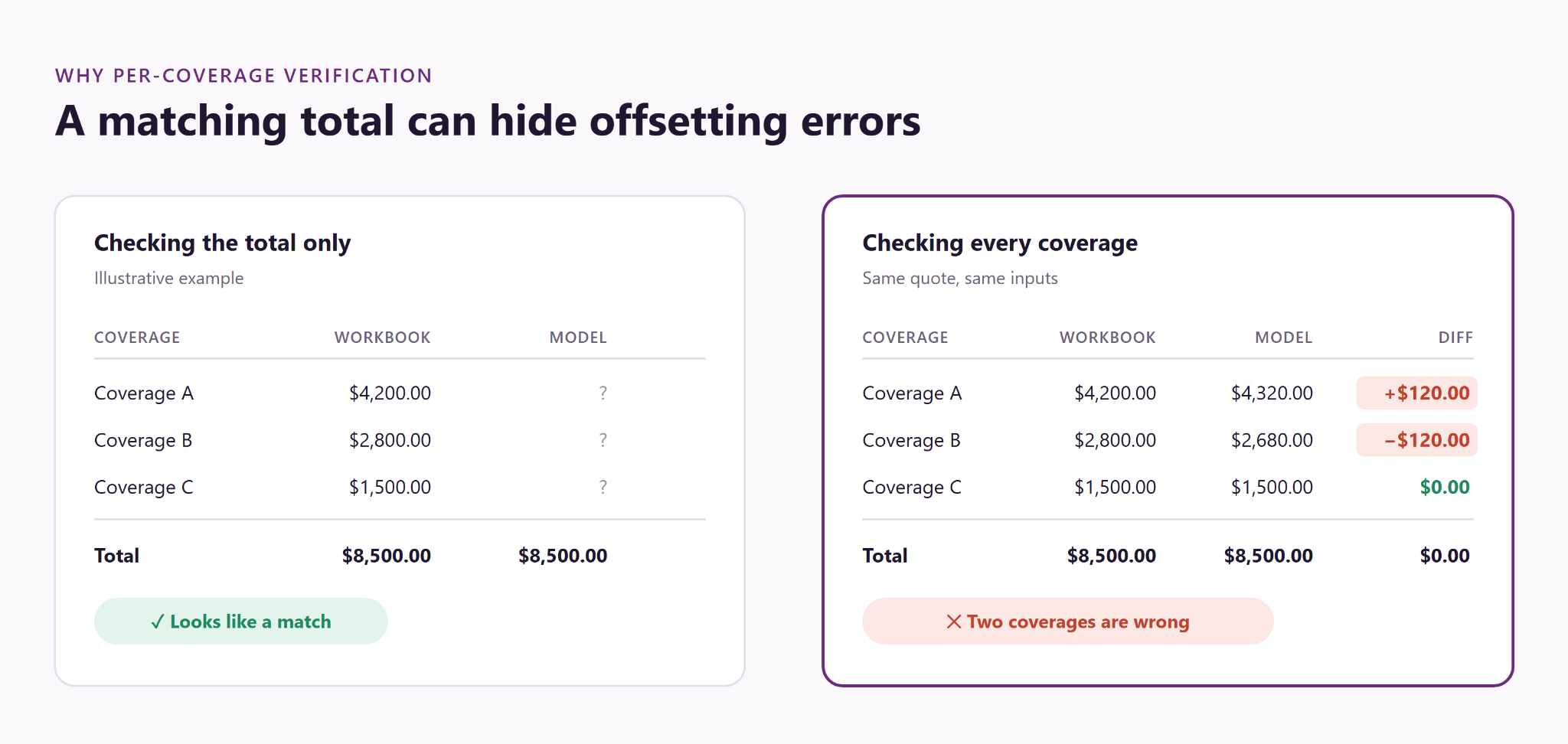
In an illustrative example, one coverage comes out $120 high and another $120 low. The total stays the same, but both coverage premiums are wrong.
How to test an Excel rater migration
Build scenarios with the people who use the rater, and agree which workbook version the new model must reproduce. A practical test set should cover:
- Everyday quotes representative of your book.
- Values at each rating threshold, plus just above and below it.
- Minimum premiums, including cases where the minimum does and does not apply.
- Rounding behavior at each calculation step.
- Past quote inputs replayed through the agreed workbook version and the new model.
- Exceptions and edge cases your underwriters consider important.
Run identical inputs through that workbook and the new model. Compare each coverage and the total to the cent, and keep the side-by-side results for review. Investigate differences in formulas, lookups, minimums, and rounding before sign-off.
How PASBerri translates and verifies the rater
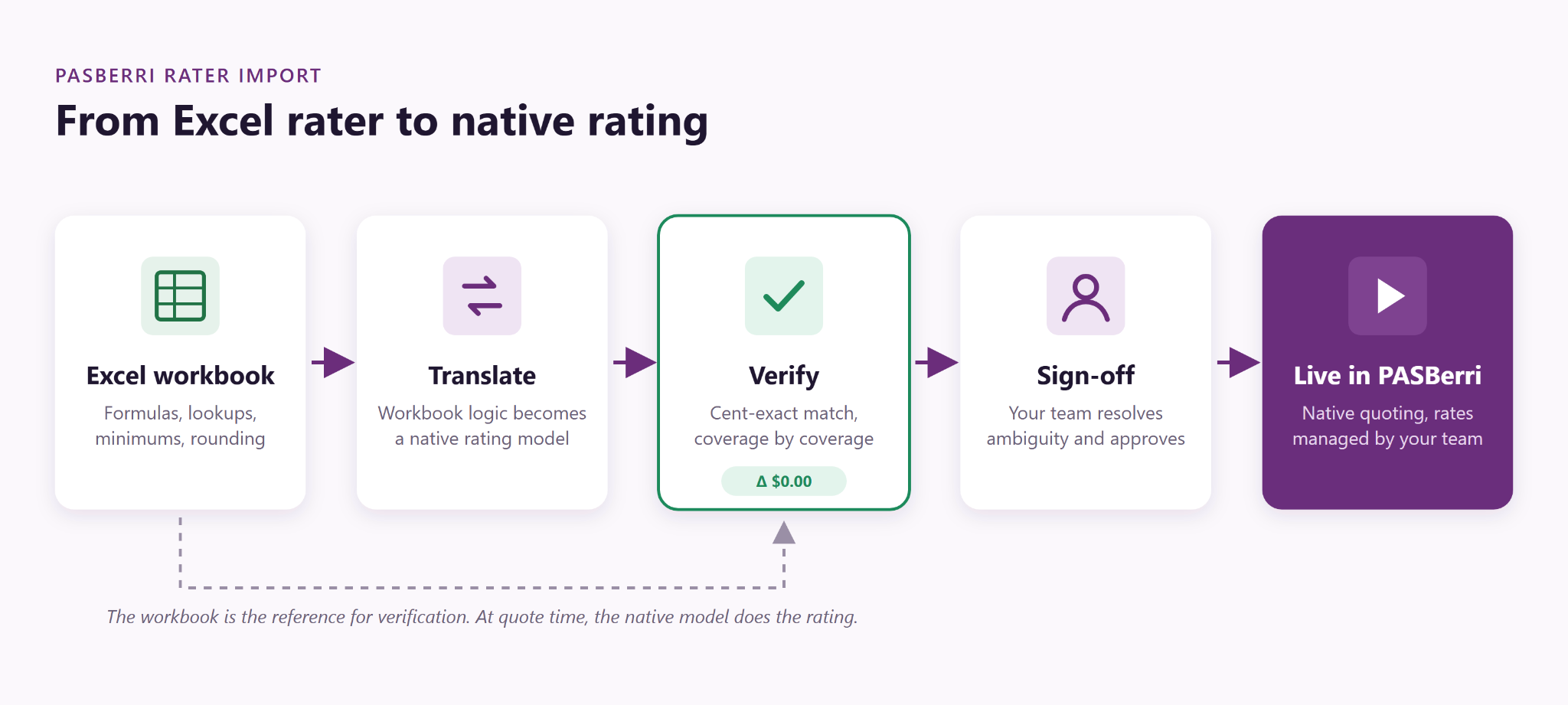
PASBerri’s import is run by a team of AI agents, each with a defined job. One maps the workbook’s inputs, lookup tables, hidden sheets, and formula chains that feed a premium. Others translate each coverage into the native rating model and extract the rate tables so your team can edit them later.
Verification then runs the agreed scenarios through both the native model and the original workbook, comparing each evaluated coverage to the cent.
The agents do the translation work. They don’t get the final word. Verification is a deterministic comparison against your workbook. We also deliberately plant errors in test copies of the model to confirm the checks would catch them. Anything the workbook leaves ambiguous goes to a person, and your team signs off before publication.
A native rater for specialty contractors
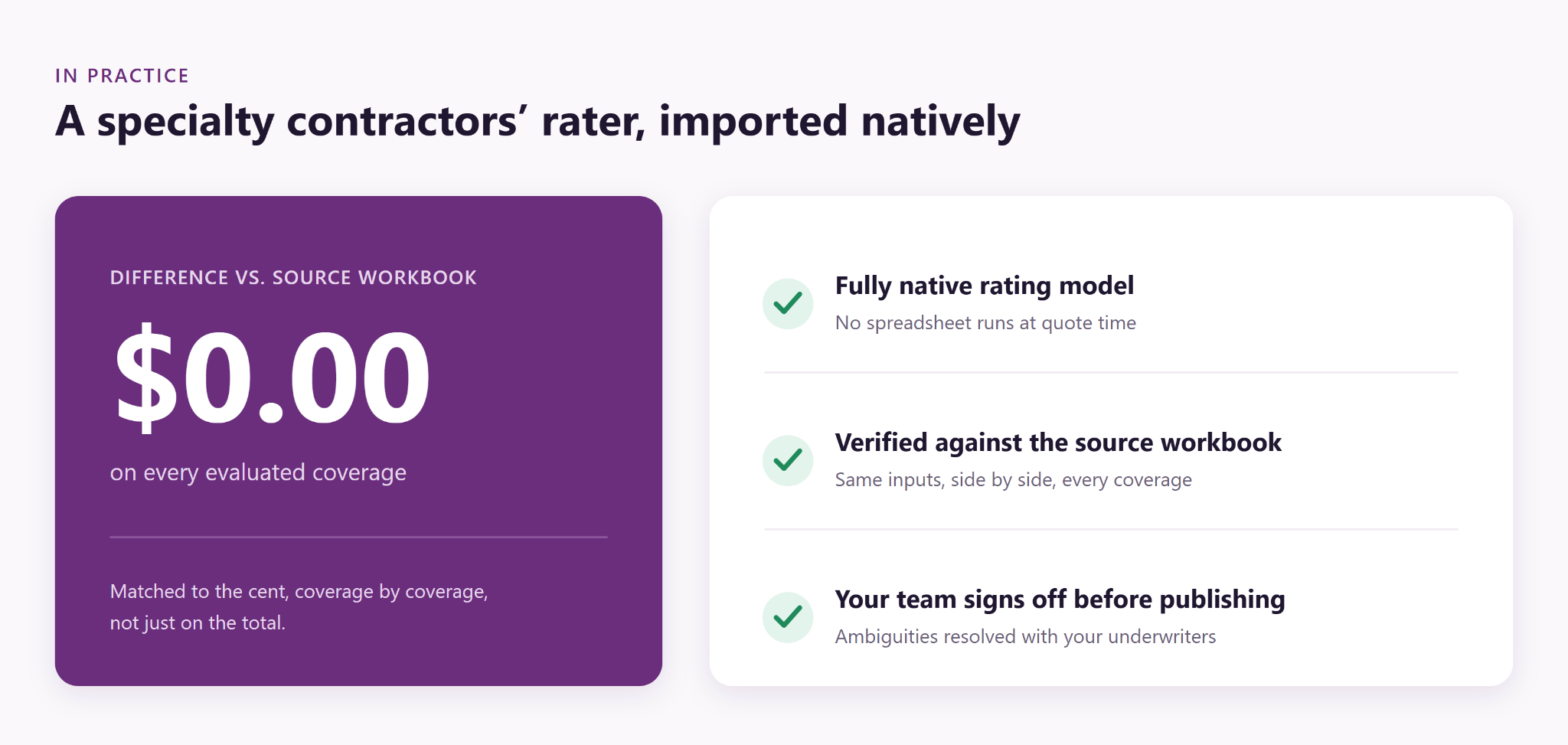
A specialty contractors’ rater used complex multi-sheet logic. Our agents translated it into a fully native model, and on every evaluated coverage the native model matched the source workbook to the cent.
What changes after migration
At quote time, PASBerri rates with the native model. It never runs the spreadsheet. Your team can edit rate tables through PASBerri’s rate management workflow: changes move from draft to validation to publication, and each publish creates a version.
Frequently asked questions
How do you test a rating engine against an Excel rater?
Use the same inputs and workbook version for the agreed scenarios. Compare each coverage’s premium to the cent as well as the total, so offsetting errors are visible.
Does PASBerri run Excel at quote time?
No. The native model performs the rating. The original workbook is the reference used to verify the translation.
What happens if workbook behavior is unclear?
We investigate it with your team. Human review resolves ambiguous workbook behavior, and your team signs off before publication.
See your own rater side by side
Book a demo to arrange a side-by-side comparison against your own workbook. We can arrange secure sharing, and an NDA is available before you share it.